

Container Payment Portal™
Servicing Import Demurrage Payments in DeltaPort, Vancouver
This portal, powered by PayCargo and Gnosis Freight’s Container Lifecycle Management® platform, is ONE’s central interface for OSRA-compliant U.S. import demurrage payments.
View container status, invoices, payments, and release in real time to streamline cargo movement and reduce dwell time.


Manage import demurrage in DeltaPort, Vancouver
Access container status, invoices, and payment workflows in the portal. Reduce delays, improve visibility, and keep cargo moving. This Container Payment Portal pilot will assist you at DeltaPort, Vancouver.
Resources and tutorials
Learn how to manage payments, resolve disputes, and track container status in the portal.
Videos
Resources and tutorials
Learn how to manage payments, resolve disputes, and track container status in the portal.
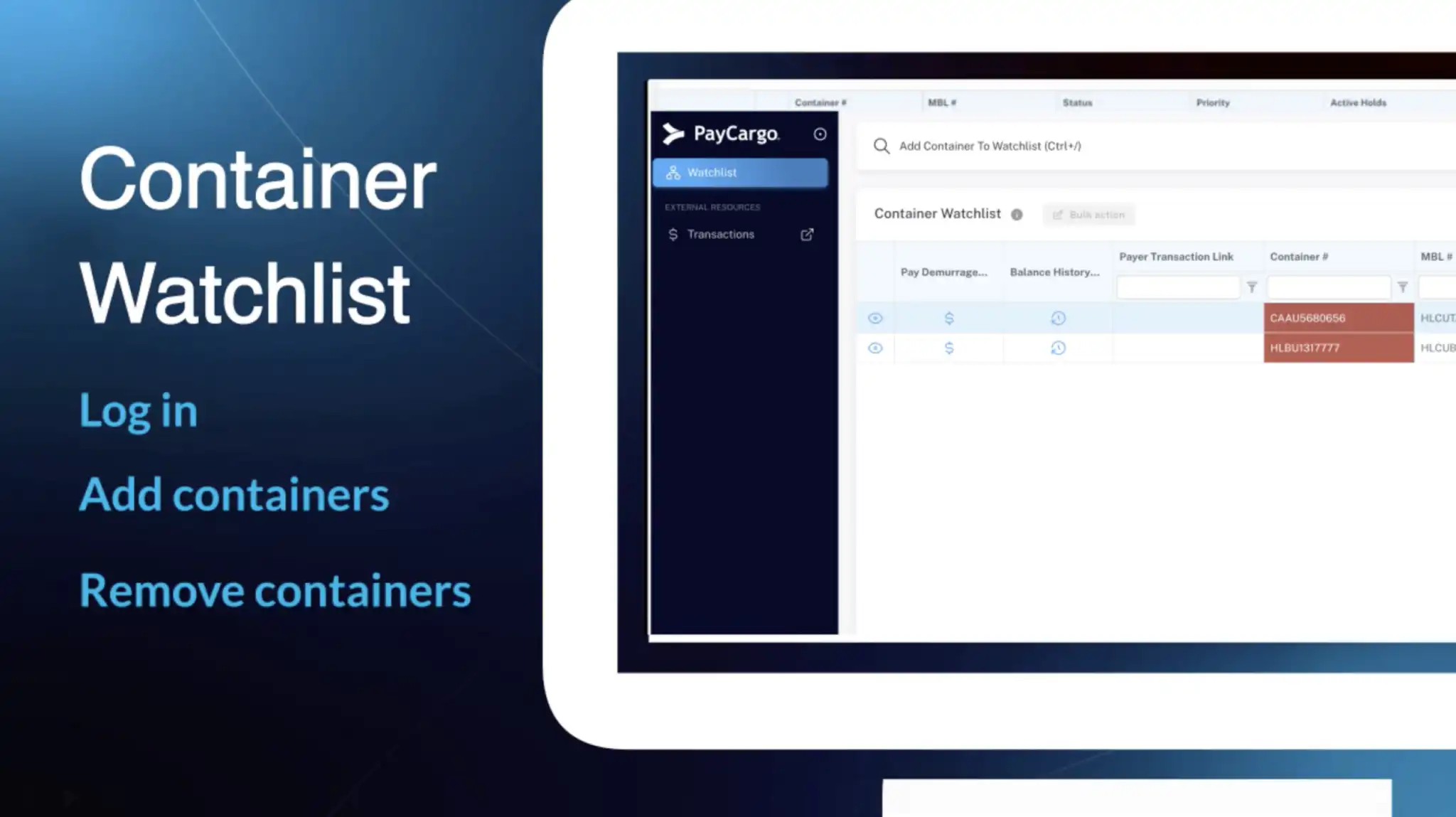
Container Watchlist Introduction
Learn how to use PayCargo’s CPP watch list—log in, add containers to monitor demurrage and key events, and remove when needed.
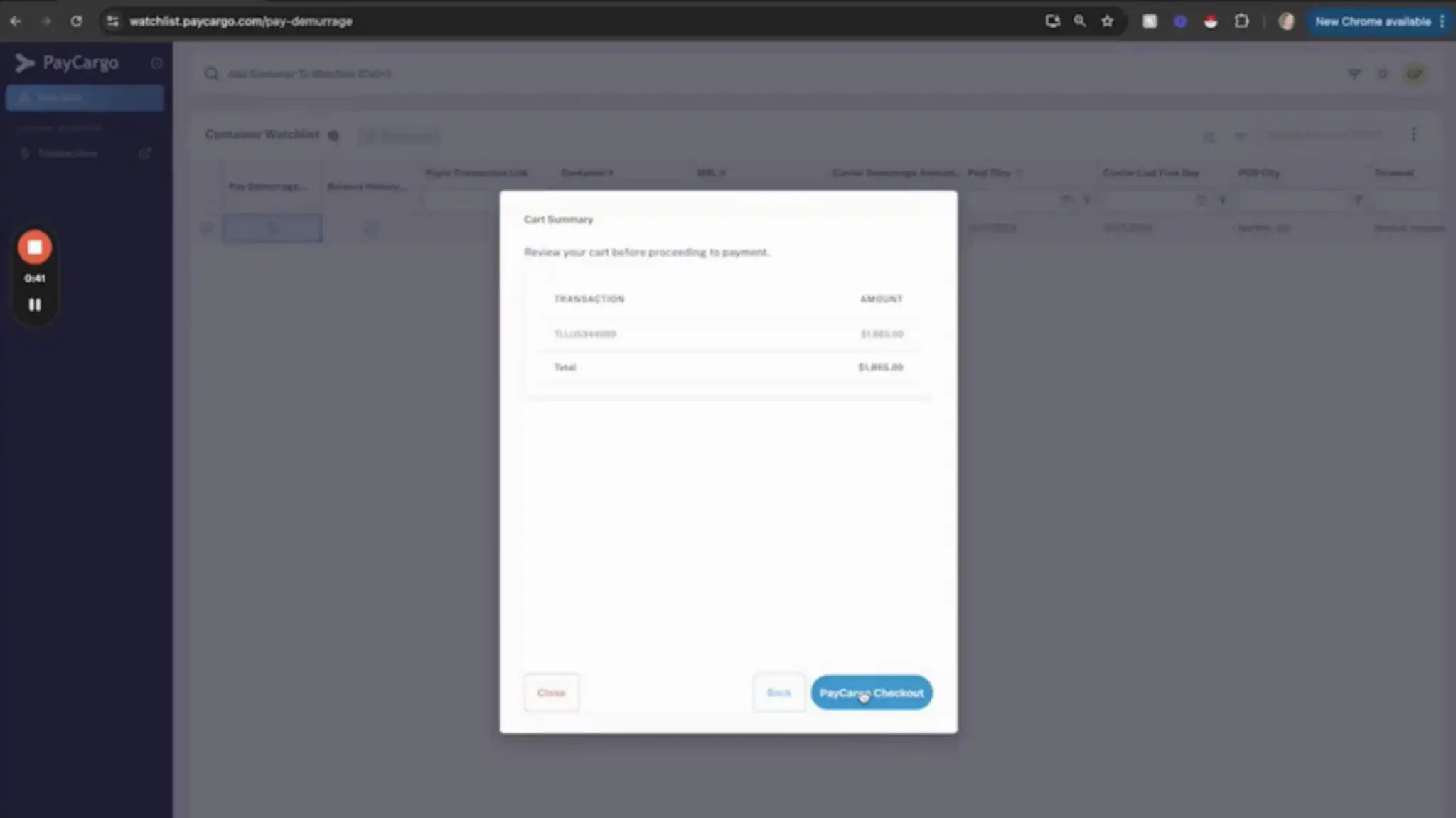
Paying Demurrage Fees
Pay demurrage fees through PayCargo’s CPP: add containers to your watch list, choose current or future date amounts, and check out.
Frequently asked questions
Find answers to common questions about getting started, payments, container status, and support.
Getting started & container visibility
What is the ONE Demurrage Program?
The ONE Demurrage Program provides customers with a centralized platform to view container information, review demurrage charges, and complete payments through PayCargo. The program is designed to calculate charges using ONE’s applicable tariff and contractual terms, along with real-time operational updates, to ensure accurate and up-to-date amounts. It also supports transparent calculations and OSRA-compliant invoicing.
Where can I view my containers and charges?
You can access your container information, review demurrage charges, and manage payments through the PayCargo Container Payment Portal (CPP) Watchlist at https://watchlist.paycargo.com.
Do I need a PayCargo account?
Yes. A PayCargo account is required to access the CPP Watchlist and make demurrage payments. If you do not already have an account, you will need to register with PayCargo before using the portal.
Can I see container details before making a payment?
Yes. The CPP Watchlist allows you to review relevant container information, including the Last Free Day (LFD), applicable demurrage charges, and calculation details before completing a payment. You can also select your intended pickup date to review the estimated charges through that date.
Why is my container not appearing?
A container may not appear in the Watchlist for several reasons, including location availability, program eligibility, data synchronization delays, or account access restrictions.
If you are unable to locate your container, please contact PayCargo CPP Support at [email protected]
Customs holds & adjustments
How does a customs examination affect demurrage?
Customs examinations may affect demurrage charges depending on the type of examination, the duration of the hold, and ONE’s applicable rules. The CPP is designed to track relevant customs events and determine whether specific days qualify as non-chargeable. When applicable, the system will pause the demurrage calculation during the approved examination period and resume it once the appropriate release or return-to-terminal event is recorded.
What happens if ONE approves a correction?
If ONE approves your dispute or authorizes an adjustment, the CPP is designed to automatically recalculate the applicable demurrage charges. Approved adjustments may include additional free time, changes to the Last Free Day (LFD), waived days, or corrections to the applicable rates. Once the adjustment is processed, the updated amount will be reflected in the CPP Watchlist, allowing you to review the revised charges before completing your payment.
Pickup dates, payments & invoices
Can I select my intended pickup date?
Yes. The CPP Watchlist allows you to select your intended container pickup date. The system will calculate the estimated demurrage charges through that date, based on the applicable ONE tariff or contract terms and the latest available container information.
Can I review an invoice before paying?
Yes. Before completing your payment, you can review a pro forma (advance) invoice showing the estimated demurrage charges for your selected pickup date. This allows you to verify the applicable charges and review the calculation details before proceeding with payment.
When will I receive my paid invoice or receipt?
Once your payment is successfully processed, a final paid invoice will be generated automatically. You can access and download a copy of your invoice or receipt from the corresponding transaction in your PayCargo account.
What payment methods are accepted?
The ONE Demurrage Program is designed to support all PayCargo payment methods, including ACH, Credit Card, and Overnight payments. Available payment methods may vary depending on your PayCargo account configuration.
Does payment guarantee that my container can be released?
Not necessarily. While paying the applicable demurrage charges satisfies the associated payment requirement, your container may still be subject to additional holds or release conditions. These may include customs holds, terminal restrictions, outstanding carrier requirements, or missing documentation.
What if I pick up later than my paid-through date?
If your container is picked up after the date through which demurrage charges have been paid or guaranteed (Paid Through Date), additional demurrage charges may apply. The CPP is designed to calculate any additional charges based on the actual pickup date and the applicable ONE tariff or contract terms. Depending on the applicable release rules, any outstanding balance may need to be paid before the container is released or may be billed after pickup.
Can cargo ever be released without full payment?
In certain circumstances, ONE may authorize the release of a container without requiring full payment of the outstanding demurrage charges. These exceptions may apply to specific customs examination scenarios, approved release arrangements, or other situations authorized by ONE. Authorization to release a container without full payment does not automatically mean the outstanding charges have been waived. Any valid remaining balance may still be subject to collection or invoicing by ONE.
Demurrage calculations & free time
How are demurrage charges calculated?
Demurrage charges are calculated based on ONE’s applicable tariff or service contract, including free time, daily rates, rate tiers, and weekend or holiday rules. The system also considers relevant operational events, such as terminal closures, customs holds, and approved adjustments, to provide accurate and up-to-date charges.
What is Last Free Day (LFD)?
The Last Free Day (LFD) is the final day a container can remain at the terminal without incurring demurrage charges, based on the applicable tariff or contractual terms. If an authorized LFD extension or adjustment is received, the system is designed to automatically update the applicable demurrage calculation.
What if my LFD differs from the terminal?
Differences between the LFD displayed in PayCargo and the terminal’s records may occur due to data synchronization timing, different calculation rules, or pending adjustments.
If you notice a discrepancy, please contact PayCargo CPP Support at [email protected]
What is Paid Through Date (PTD)?
The Paid Through Date (PTD) reflects the date through which all charges are settled, and all fee related holds are released.
What is Good Through Date (GTD)?
Similar to the Paid Through Date (PTD), the Good Through Date (GTD) reflects the date through which all fee related holds are released, primarily due to credit terms or container guarantees extended to the Consignee, but does not reflect payments made against outstanding fees due.
Are weekends and holidays charged?
Weekend and holiday charges depend on the applicable ONE tariff or service contract. Some shipments may include weekends and holidays as chargeable days, while others may exclude them. The CPP Watchlist is designed to apply the specific rules associated with your shipment when calculating demurrage.
What if the terminal or yard was closed?
If a terminal or yard closure prevents container pickup, the affected days may qualify as non-chargeable, depending on ONE’s applicable rules and the verified operational circumstances. The system is designed to account for terminal closures, yard closures, shutouts, and other approved operational exceptions when calculating demurrage.
If you believe a closure was not properly reflected in your charges, please contact PayCargo CPP Support at [email protected]
What if no appointments were available?
If no pickup appointments were available during the applicable period, the affected dates may be eligible for review under ONE’s demurrage rules. Please provide the container number, dates when appointments were unavailable, and any supporting documentation, such as screenshots or appointment availability records to PayCargo CPP Support at [email protected].
The information will be reviewed to determine whether an adjustment is applicable. Appointment unavailability does not automatically qualify for a demurrage waiver.
Can I request additional free time?
Yes. Requests for additional free time, LFD extensions, or demurrage waivers must be reviewed and approved by ONE in accordance with its applicable policies. Please contact ONE Customer Service to submit your request. Once an adjustment is approved and communicated to PayCargo, the CPP Watchlist is designed to reflect the updated LFD or applicable demurrage charges.
Can the Demurrage amount change after I first view it?
Yes. Demurrage charges may change based on your intended pickup date, additional chargeable days, updated operational information, or adjustments approved by ONE. For example, changes to the LFD, terminal availability, or applicable free time may affect the total amount due. The CPP Watchlist is designed to automatically recalculate charges when new valid information is received, allowing you to review the most current available amount before completing your payment.
Disputes & Refunds
Can I dispute a demurrage amount before payment?
Yes. If you believe your demurrage charges are incorrect, you can submit a dispute through the CPP Watchlist before completing your payment. You will need to provide:
- Reason for the dispute
- Relevant dates or details of the disputed charges
- Supporting documentation, such as terminal records, appointment availability screenshots, or approved free-time extensions
Once submitted, your dispute will be available for review by ONE. ONE will evaluate the applicable tariff or contractual terms, operational events, and supporting documentation before determining whether an adjustment is appropriate.
Can I request a refund after submitting a payment?
Yes. If you believe you were incorrectly charged or are entitled to a refund after completing your payment, you can submit a refund request directly through your PayCargo account. To request a refund:
- Log in to your PayCargo account.
- Navigate to your transaction history and locate the applicable payment.
- Open the transaction and select “Request Refund.”
- Provide the reason for your request, a detailed explanation, and any supporting documentation.
- Submit your request for review.
Your refund request will be submitted to ONE for evaluation and approval in accordance with its applicable policies. Submitting a refund request does not guarantee approval. Refunds are subject to ONE’s review and authorization.
Who approves my dispute or refund?
All dispute and refund requests are reviewed by authorized ONE personnel, who determine whether an adjustment or refund is appropriate based on the applicable tariff, contractual terms, and supporting documentation. PayCargo facilitates the submission and processing of these requests through the CPP Watchlist but does not independently approve disputes or discretionary refunds.
Support & troubleshooting
Who should I contact about an incorrect tariff, free time, or waiver?
If you believe the tariff, free time, Last Free Day (LFD), or an approved waiver has not been correctly reflected in your demurrage charges, please contact PayCargo CPP Support at [email protected]. Our support team will investigate the information displayed in the CPP Watchlist and coordinate with ONE as needed to verify the applicable charges and adjustments.
Who should I contact about login, payment, or portal issues?
For technical assistance with the CPP Watchlist, including login difficulties, account access, payment errors, or general portal functionality, please contact PayCargo CPP Support through either of the following channels:
- Email: [email protected]
- Phone: 888-250-7778
Our support team will assist you in troubleshooting the issue and provide guidance on the next steps.
What information should I provide when reporting an issue?
To help our support team investigate and resolve your request as efficiently as possible, please include the following information, when applicable:
- Container Number: The container associated with your inquiry.
- Master Bill of Lading (MBOL): The shipment reference number.
- Terminal or Port: The location associated with the container.
- PayCargo Transaction ID: The transaction reference number, if available.
- Account Email: The email address associated with your PayCargo account.
- Relevant Dates: Such as the Last Free Day, intended pickup date, or payment date.
- Issue Description: A brief explanation of the problem, including any error messages.
- Supporting Documentation: Screenshots, payment confirmations, terminal records, or other relevant documents.
For your security, please do not share full credit card numbers, bank account details, passwords, or other sensitive payment credentials.
Flexible payment options
Overnight Debit
Funds are withdrawn directly from your bank account.
Prepaid Funds
Add funds in advance and pay on your terms.
Credit Card
Pay using all major credit card providers.
PayCargo Credit
Access 15, 30, or 45-day terms, with limits from $50K to $5M.
Get started
Manage payments and take action
Customer support, 24/7
Our team is available around the clock to help with payments, disputes, and platform support. Contact us by phone or email for assistance.